Before and After: What AI Food Photo Enhancement Actually Looks Like
Wondering what AI food photo enhancement really does? See real before-and-after scenarios showing how phone photos transform into professional food photography -- and what stays the same.
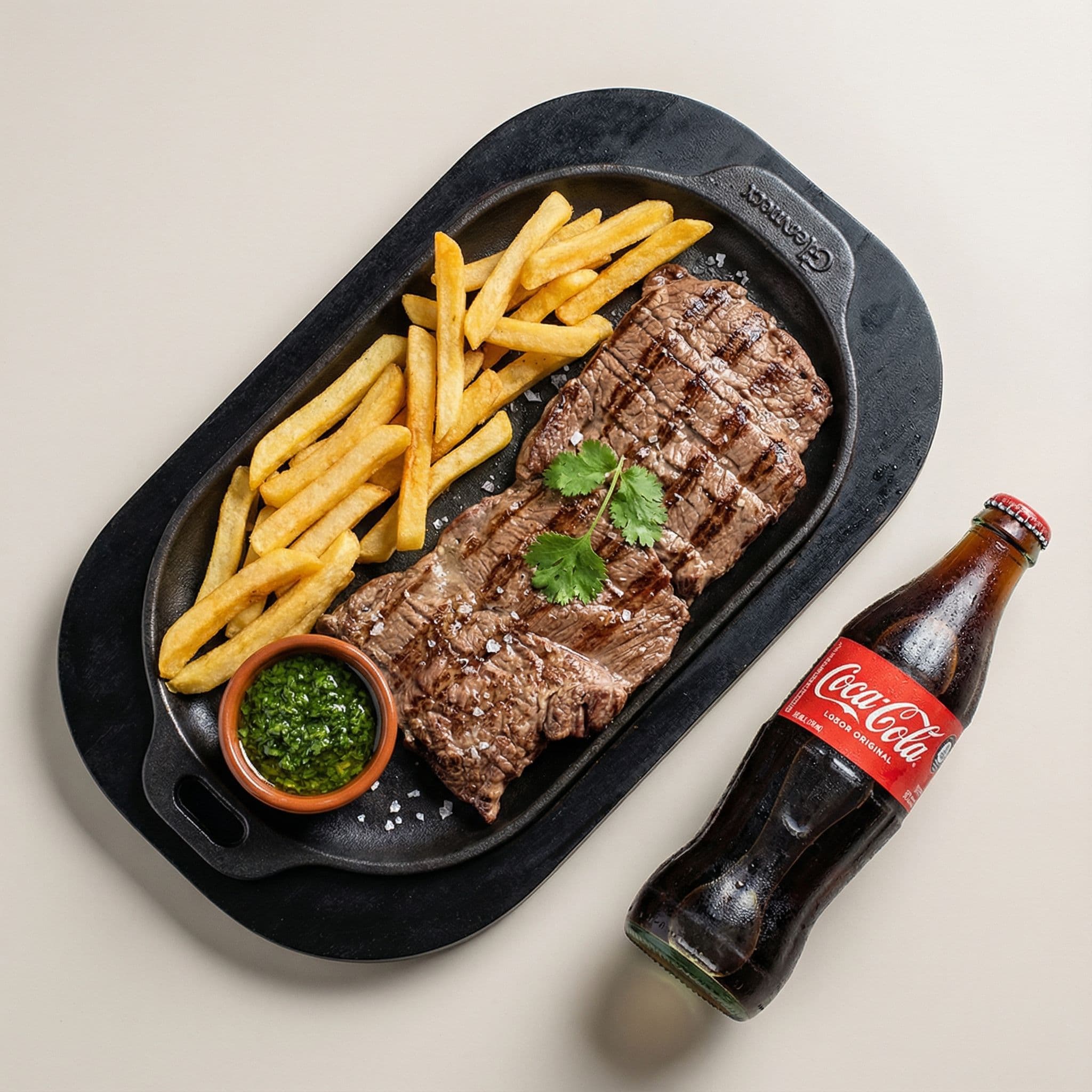
Before and After: What AI Food Photo Enhancement Actually Looks Like
You have heard AI can improve food photos. Maybe you have seen a few side-by-side comparisons floating around Instagram. But most of what you have seen is either cherry-picked marketing or completely AI-generated food that never existed on a real plate.
So let's skip the hype and show you what AI food photo enhancement actually does to real restaurant photos -- the kind you take with your phone during a busy lunch service, in imperfect lighting, with whatever background happens to be behind the plate.
Here is what changes, what stays the same, and whether the results are worth it.
The Quick Answer
AI food photo enhancement improves lighting, colors, composition, and background presentation while keeping your actual food authentic. It does not invent new dishes, add ingredients that are not there, or create food that only exists in a computer. Think of it as the difference between a quick phone snapshot and what the same dish would look like if a professional photographer spent 20 minutes setting up the shot.
The best way to understand it is to look at specific scenarios -- so that is exactly what we will do.
What Changes (and What Doesn't)
Before we get into the examples, it helps to understand what AI photo enhancement is actually doing under the hood. This is not magic, and it is not trickery. It is the same adjustments a professional food photographer would make -- just automated and faster.
What the AI enhances
- Lighting -- Fixes dark shadows, harsh overhead fluorescents, and uneven exposure. The food gets the soft, directional light that makes it look appetizing.
- Color balance -- Corrects the blue tint from phone cameras and fluorescent lights. Reds look red. Greens look fresh. Cheese actually looks golden.
- Background -- Cleans up clutter, simplifies distracting elements, and creates a setting that puts the focus on the dish.
- Composition -- Tightens the framing, adjusts the angle perspective, and applies professional food photography principles like the rule of thirds.
- Surface and texture -- Enhances the visual details that make food look real and tactile. The glisten on a sauce, the char on grilled meat, the steam rising from a hot bowl.
What stays the same
- Your actual food -- The dish on the plate does not change. A basic burger stays a basic burger. AI does not add truffle shavings to your fries.
- Portion size -- What you serve is what appears in the photo. No artificial enlargement.
- Plating style -- If you plated it casually, it stays casual. The enhancement improves how the photo captures your plating, not the plating itself.
- Ingredients -- Nothing gets added, removed, or swapped. If there are five shrimp on the plate, there are five shrimp in the enhanced photo.
This distinction matters. Your customers should be able to order based on the enhanced photo and receive exactly what they expect. That is the whole point -- showing your food the way it actually looks, just captured properly.
Example Transformations
Let's walk through five common scenarios that restaurant owners deal with every day. These represent the most typical "before" situations we see.
1. Dark Phone Photo of Pasta
The before: You snap a quick photo of your carbonara during the dinner rush. The kitchen lighting is warm but dim. The photo comes out dark, slightly orange-tinted, and flat. The noodles look like a brown pile instead of the glossy, pepper-flecked pasta you just plated.
What the AI does: Brightens the image with soft, directional lighting that mimics a window seat at golden hour. Corrects the orange cast to reveal the true cream-and-gold of the sauce. Brings out the texture of each strand of pasta, the flecks of black pepper, and the sheen of the egg yolk. The background softens to keep focus on the dish.
The after: A warm, inviting pasta photo that looks like it belongs in a food magazine spread. The dish is the same. The plate is the same. But the photo now shows what your eyes saw when you plated it -- which is exactly what your customer's phone screen never could.
2. Cluttered Background Burger Shot
The before: Your signature smash burger looks incredible, but the photo includes half a squeeze bottle of ketchup, a stack of ticket receipts, and the edge of someone's elbow. The burger itself is slightly off-center and the bun looks pale under the fluorescent lights.
What the AI does: Cleans up the background to create a simple, uncluttered setting that could be a dark wood table or a clean counter. Corrects the lighting to bring out the caramelized edges of the patty, the melt of the cheese, and the color of the toasted bun. Re-centers the composition so the burger is the undeniable focal point.
The after: A focused, professional burger photo where every layer is visible -- bun, sauce, cheese, patty, toppings -- and nothing else competes for attention. This is the kind of image that makes someone stop scrolling on DoorDash and tap "Add to Cart."
3. Washed-Out Sushi Platter
The before: Your sushi platter is a work of art in person, but the phone photo under the bright dining room lights washes everything out. The salmon looks pink instead of vibrant orange. The avocado looks grey-green. The rice looks flat white. None of the precision and color that makes sushi visually stunning comes through.
What the AI does: Restores the true vibrancy of each piece. The salmon becomes that deep, rich orange. The tuna shows its ruby-red center. The avocado returns to its bright, fresh green. The rice gains its subtle pearlescent quality. The soy sauce glistens. The entire platter pops with the color accuracy that your phone camera lost.
The after: A sushi platter photo that does justice to the craftsmanship behind it. Every piece is distinct, colorful, and appetizing. The kind of photo that makes your restaurant look like a destination, not an afterthought.
4. Dimly Lit Dessert
The before: Your chocolate lava cake arrives at the table in the dimly lit dining room. You crack it open for the photo -- the molten center flows out perfectly. But the photo? Nearly black. You can barely see the cake, let alone the flowing chocolate. The vanilla ice cream next to it looks grey.
What the AI does: Applies a dramatic, moody food photography style that works WITH the low-light environment instead of fighting it. Adds carefully balanced light that illuminates the flowing chocolate center, the crackle of the cake's surface, and the scoop of ice cream beside it. The dark atmosphere stays -- because that is the vibe of your restaurant -- but now you can actually see the dish.
The after: A stunning, dramatic dessert photo that looks like it was shot for a high-end restaurant review. Dark, moody, atmospheric -- but with every delicious detail visible. The kind of photo that makes someone order dessert before they have even looked at the entrees.
5. Casual Takeout Container Shot
The before: Your pad thai looks fantastic in person, but it is sitting in a white takeout container on a stainless steel prep counter. The photo is purely functional -- "here is what goes in the bag." It is not ugly, but it is not going to make anyone crave your food.
What the AI does: Optimizes the image specifically for delivery app listings. Brightens the colors of the noodles, shrimp, and lime garnish. Adjusts the background to feel clean and intentional. Enhances the food's texture so customers can practically see the wok char on the noodles. The container is still a container -- this is delivery food, after all -- but the food inside looks irresistible.
The after: A delivery-app-optimized hero image that stands out in a sea of mediocre food photos on UberEats or Grubhub. Your pad thai looks like the obvious choice, because the photo shows what it actually tastes like.
How the Process Works
If you are expecting a complicated setup, you will be disappointed. The entire process takes about 30 seconds.
Step 1: Upload your phone photo. No special camera, no tripod, no lightbox. Just the photo you already took on your phone.
Step 2: Pick a style. Choose from 19 restaurant-specific photography styles -- delivery-app-optimized, dark and moody, bright and airy, rustic, editorial, and more. Each style is built for a specific use case, so your DoorDash listing photo and your Instagram post can have different looks from the same original image.
Step 3: Get your results. In about 30 seconds, you have a professional-quality food photo ready to download and use wherever you need it. No editing skills required. No Photoshop. No waiting days for a photographer to send proofs.
That is the entire process. Upload, pick, download.
Who Benefits Most?
AI food photo enhancement is not for everyone. A Michelin-starred restaurant with a dedicated photographer on retainer does not need this. But for the vast majority of independent restaurants, the impact is significant.
Restaurants on delivery apps
This is where food photo quality has the most direct impact on revenue. 75% of diners choose what to eat based on photos. On DoorDash, UberEats, and Grubhub, your photo IS your storefront. A better photo means more clicks, more orders, more revenue.
Restaurants building a social media presence
Posting consistently on Instagram or TikTok requires a steady stream of good-looking food content. Shooting, editing, and posting 3-5 times per week with phone photos is exhausting. AI enhancement turns that quick phone snapshot into a post-worthy image in seconds instead of the 30+ minutes you might spend in Lightroom.
New restaurants building their brand
When you are just starting out, your online presence is often the first impression a potential customer gets. Professional photography for a full menu costs $500 to $2,500 per shoot. For a new restaurant watching every dollar, AI enhancement provides professional-quality photos at under $1 each.
Restaurants with seasonal or rotating menus
If your menu changes with the seasons, you face a recurring photo problem. Every new menu means new photos -- and coordinating another photographer shoot during service hours is a logistical headache. With AI enhancement, you can update your photos whenever you want, as many times as you need.
Common Concerns Addressed
"Will the enhanced photos look fake?"
No. This is the most common concern we hear, and it is completely fair -- a lot of AI-generated food images look obviously artificial. But enhancement is fundamentally different from generation. We are not creating food that does not exist. We are improving the photo of food that does. The dish stays real. The photo just gets the treatment it deserves.
"Is it expensive?"
Each enhanced photo costs under $1. Compare that to a professional photographer ($500-2,500 per shoot) or subscription-based AI tools ($15-27 per month whether you use them or not). With Beautiful Food, you pay only when you shoot. No monthly subscription. Credits never expire.
"Do I need photography skills?"
None. The whole point is that you do not need to know anything about lighting, composition, or camera settings. Take a photo with your phone. Upload it. The AI handles everything else. If you can take a selfie, you can get professional food photos.
"What if I do not like the result?"
You see the result in 30 seconds, so there is no long wait to find out. And because each photo costs under a dollar, you can experiment freely -- try different styles, different angles, different dishes. The risk is a dollar and half a minute of your time.
"Does this replace hiring a photographer?"
For most independent restaurants, yes -- for day-to-day needs. If you are launching a major brand campaign or need lifestyle shots of your dining room, a photographer still has a role. But for menu photos, delivery app listings, social media posts, and seasonal updates? AI enhancement gives you professional results at a fraction of the cost and time.
Key Takeaways
- AI food photo enhancement improves lighting, color, composition, and background -- it does not change your actual food or create fake dishes.
- The process takes about 30 seconds: upload a phone photo, pick a style, download the result.
- The biggest impact is on delivery apps, where photos directly determine whether customers order from you or scroll past.
- It costs under $1 per photo with no subscription required -- you pay only when you need photos.
- No photography skills are needed. If you can take a phone photo, you can get professional results.
- Your customers get what they see. Enhanced photos show your real food captured properly, not a fantasy version of it.
See for Yourself
The best way to understand what AI food photo enhancement does is to try it on your own food. Not stock photos. Not someone else's pasta. Your actual dishes, from your kitchen, taken on your phone.
Start with 5 free credits -- no credit card needed. Upload a few of your dishes, pick a style, and see what your food photos could look like.
Already convinced? Browse more example transformations to see different styles and cuisines in action.
Related reading: