Phone Food Photography Tips for Restaurant Owners
Practical smartphone photography tips that help restaurant owners take professional-looking food photos -- no camera equipment required.
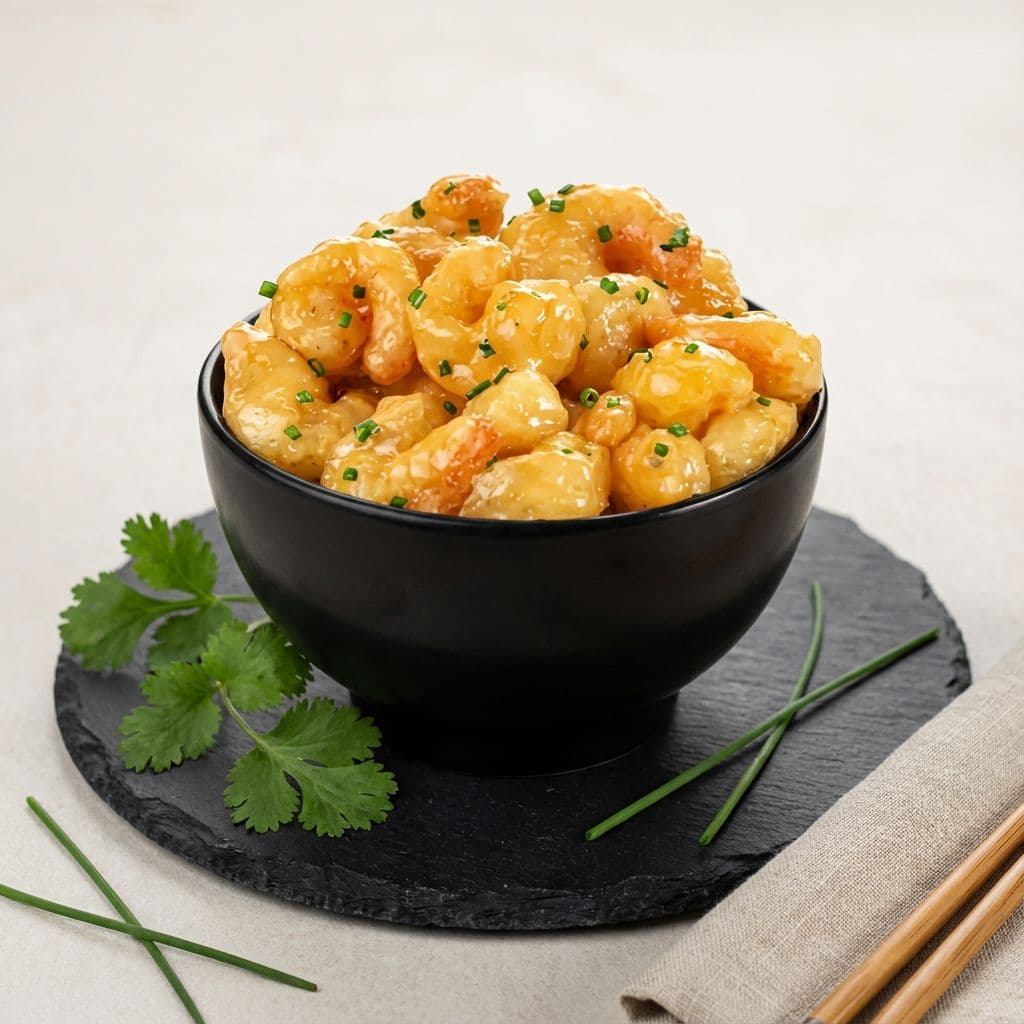
Phone Food Photography Tips for Restaurant Owners
You do not need a $3,000 camera to get great food photos for your restaurant. The phone in your pocket is more than capable -- what you need are a few phone food photography tips that actually work in a real kitchen, not a studio.
Most online photography guides are written for bloggers with ring lights and styled sets. This guide is for restaurant owners who need better menu photos between the lunch rush and dinner prep. Practical techniques you can use today, with the phone you already have.
Quick Tips at a Glance
If you only have two minutes, here is what matters most:
- Shoot near a window -- natural light is free and makes food look appetizing
- Turn off overhead lights -- mixed lighting creates ugly color casts
- Clean your lens -- kitchen grease kills sharpness (wipe it every time)
- Use the 45-degree angle -- it shows depth and works for most dishes
- Tap to focus on the food -- then slide to adjust brightness
- Keep backgrounds simple -- a clean table beats a cluttered counter
- Shoot within 2 minutes of plating -- food wilts fast under lights
- Skip the filters -- adjust brightness and contrast manually instead
- Use both hands -- lean against a wall or counter for stability
Now let us break each of these down.
Lighting Is Everything
Lighting is the single biggest difference between a phone photo that looks amateur and one that looks professional. Get this right and the rest becomes much easier.
Use Natural Light
The best light source for food photography is a window. Not direct sunlight blasting onto the plate -- that creates harsh shadows and blown-out highlights. You want indirect, soft light.
Position your dish 2-3 feet from a window where sunlight is coming in but not hitting the food directly. Mid-morning light (around 10 AM to noon) tends to be the most flattering. The light is bright enough to illuminate details but soft enough to avoid hard shadow lines across the plate.
Turn Off the Overhead Lights
This is the tip most restaurant owners miss. Your kitchen and dining room lights cast a warm orange or cool blue tint that your phone camera tries to compensate for. When you mix that artificial light with window light, the result is muddy, off-color photos where the food looks nothing like it does in person.
Turn off the overheads. Let the window do the work. If you need to fill in shadows on the side of the dish away from the window, hold up a white napkin or place a white plate nearby to bounce light back onto the food.
Never Use Flash
The built-in flash on your phone fires a burst of harsh, direct light that flattens every texture and creates an unflattering shine on sauces, meats, and anything with moisture. It is the fastest way to make professional food look like a gas station meal.
If you are shooting in a dark restaurant during dinner service and have no natural light at all, consider investing in a small LED panel. You can find decent ones for $30-50 that clip onto your phone or sit on the table. They are far more flattering than flash.
Composition: What Goes Where
Good composition is what makes the viewer's eye go straight to the food instead of wandering around the frame. You do not need to study art theory -- just follow a few reliable patterns.
The 45-Degree Angle
This is the workhorse angle for restaurant food photography. Hold your phone at roughly 45 degrees above the plate -- halfway between straight-on and directly overhead.
Why this angle works so well: it shows both the top of the dish and its height. A burger reveals its layers. A pasta dish shows both the sauce on top and the depth of the bowl. A steak shows the sear and the thickness.
Use this angle as your default for plated entrees, sandwiches, salads, and pasta. You will get a usable photo the majority of the time.
When to Use Other Angles
Not every dish suits the 45-degree approach:
- Overhead (straight down): Best for pizza, flatbreads, grain bowls, and any dish arranged in a pattern you want to show from above. Also great for table spreads showing multiple dishes.
- Eye level (straight on): Best for tall items like stacked burgers, layered desserts, milkshakes, and cocktails. This angle emphasizes height and layers.
- Slightly below eye level: Works for soups and stews in bowls, where you want to show the surface and the garnish floating on top.
Enable Grid Lines
Turn on the grid overlay in your phone's camera settings. This divides your screen into a 3x3 grid (the rule of thirds). Place the most interesting part of the dish -- the garnish, the golden crust, the melted cheese -- at one of the four points where grid lines intersect.
This simple adjustment makes compositions feel balanced and intentional instead of centered and flat.
Fill the Frame
Get closer. In most amateur food photos, there is too much empty space around the plate -- counter, table edge, random salt shaker in the corner. Move the phone closer until the food fills about 75% of the frame. The viewer should be able to identify the dish immediately without squinting.
Styling Your Shot
You do not need to be a food stylist. A few small touches make an outsized difference.
Start With a Clean Plate
Wipe the rim. Seriously. A smudge of sauce on the edge of the plate is invisible in person but glaring in a photo. Take 5 seconds to clean the rim with a damp towel before you shoot.
Add Color Where It Is Missing
Monochrome dishes -- brown stews, beige pasta, tan fried foods -- photograph flat. A small pop of color breaks the monotony:
- Fresh herbs (basil, parsley, cilantro) on brown or red dishes
- A lemon wedge on fish or chicken
- Microgreens on anything neutral
- A drizzle of bright sauce on a white plate
You are not redesigning the dish. You are adding one small element that gives the camera something to highlight.
Keep Backgrounds Simple
Your best background is already in your restaurant: a clean section of table, a wooden cutting board, a simple placemat. What you want to avoid is a background that competes with the food -- busy patterns, cluttered counters, other plates half in frame.
White and neutral plates work for most foods. Dark plates can look striking with lighter-colored dishes. Avoid plates with heavy patterns or logos unless that is part of your brand.
Less Is More
The temptation with styling is to add too much -- napkins, cutlery, scattered ingredients, a candle, a flower. In practice, the more you add, the more the eye wanders away from the food.
One prop maximum. A fork placed at a natural angle. A torn piece of bread next to a soup bowl. A hand reaching for a slice. That is it.
Phone Camera Settings That Matter
You do not need to understand every setting on your phone camera. These four make the biggest difference for food photos.
Tap to Focus
Tap on the food (specifically the part you want sharpest) before taking the photo. Your phone will focus on whatever you tap and adjust the exposure around it. Without this step, the phone might focus on the background or the plate edge instead of the dish itself.
Adjust Exposure Manually
After you tap to focus, you will see a brightness slider (a sun icon on iPhone, a similar slider on Android). Slide it up if the food looks too dark; slide it down if it looks washed out.
Most restaurant environments are slightly darker than ideal for photos. A small upward adjustment to exposure usually helps.
Use Portrait Mode Selectively
Portrait mode blurs the background, which can make food photos look more polished -- similar to what a professional camera with a wide aperture does. It works well for single plated dishes where you want the food sharp and the background soft.
Where it does not work: overhead shots (there is no background to blur), dishes with multiple items spread across a table, or any shot where the phone struggles to detect the "subject" and blurs part of the food itself. Check the result before moving on.
Skip HDR for Food
HDR (High Dynamic Range) is designed to balance very bright and very dark areas in a scene -- landscapes, sunsets, interiors. For food, it can make images look flat and over-processed, reducing the contrast that makes food look appetizing. Turn it off or set it to manual rather than automatic when shooting food.
Editing on Your Phone
The raw photo straight from your camera is rarely the final product. A few quick adjustments can close the gap between "decent phone photo" and "looks professional."
The Three Adjustments That Matter Most
Open your photo in your phone's built-in editor (or a free app like Snapseed or Lightroom Mobile) and make these three changes:
- Brightness: Bump it up slightly. Food almost always looks better a touch brighter than your phone captures it. Do not overdo it -- you want natural, not glowing.
- Contrast: Increase it a small amount. This deepens the darks and brightens the lights, making textures pop. The sear on a steak, the gloss on a sauce, the crunch on fried food -- contrast is what reveals those details.
- Warmth: Shift the white balance slightly warmer. Food photographed under natural light can sometimes look a bit cool or blue. A slight warm shift makes reds richer, browns more appetizing, and greens more vibrant.
What to Avoid
- Heavy filters: Instagram presets might look trendy, but they create an unrealistic expectation. When the actual food arrives looking different from the photo, you get complaints.
- Over-saturation: Cranking up saturation makes tomatoes glow neon and cheese look radioactive. Subtle adjustments only.
- Sharpening past 25%: A touch of sharpening adds crispness. Too much creates digital artifacts and makes the photo look crunchy in a bad way.
When Editing Is Not Enough
Manual editing gets you far -- but there is a ceiling. If your original photo has bad lighting, a cluttered background, or flat composition, no amount of slider-dragging will fix the fundamentals.
This is where AI tools like Beautiful Food can help. Instead of adjusting individual sliders, you upload your phone photo and get back a version with professional lighting, clean backgrounds, and polished color -- the kind of result that would normally require a studio setup. It is not a replacement for learning the basics in this guide, but it picks up where phone editing leaves off.
From Phone Photo to Professional: The Full Process
Here is what a realistic workflow looks like for a restaurant owner updating menu photos:
Step 1: Set up a photo station. Find the spot in your restaurant with the best window light. Clear the table. Turn off overhead lights. This becomes your go-to shooting location.
Step 2: Shoot during prep, not service. Mid-morning (10-11 AM) is ideal. The kitchen is active but not slammed. Light is at its best. Aim for 2-3 dishes per session -- you do not need to photograph your entire menu in one day.
Step 3: Plate intentionally. Clean the plate rim, add your garnish, make sure the dish looks like what a customer would actually receive. Photograph within 2 minutes of plating before anything wilts, melts, or cools.
Step 4: Take multiple shots. For each dish, shoot at least 3-5 photos from different angles. It takes 30 extra seconds and gives you options. Move the plate, adjust your position, try overhead and 45-degree.
Step 5: Edit the best one. Pick the strongest photo, make your brightness-contrast-warmth adjustments, and save it.
Step 6: Size it for your platforms. Different platforms want different dimensions. DoorDash prefers 1024x1024 square images. Uber Eats uses 1200x900 landscape. Instagram works with 1080x1080. Crop your final photo to fit each platform you use.
You can photograph your whole menu this way in 3-4 sessions spread across a couple of weeks. No photographer needed.
Key Takeaways
- Natural light from a window is your most important tool. Turn off overhead lights, never use flash, and shoot between 10 AM and noon for the best results.
- The 45-degree angle works for most dishes. Switch to overhead for flat items like pizza, and eye level for tall items like burgers and drinks.
- Clean the plate, add one color pop, and keep backgrounds simple. Styling does not mean complicated -- it means intentional.
- Tap to focus and adjust exposure before every shot. These two taps take one second and make a noticeable difference.
- Edit with brightness, contrast, and warmth only. Skip heavy filters. If you want to go further, AI enhancement tools can bridge the gap between phone editing and professional results.
- Shoot during prep time, 2-3 dishes per session. You do not need to photograph everything at once.
Start Getting Better Menu Photos Today
Every tip in this guide works with the phone you already own. No equipment to buy, no photographer to hire, no learning curve that takes weeks.
Start with lighting. Find your best window, plate one dish, and take a photo using the techniques above. Compare it to what is on your DoorDash listing right now. You will see the difference immediately.
And if you want to take your phone photos even further, Beautiful Food turns them into professional, magazine-quality images in 30 seconds. Five free credits, no credit card needed -- try it with your own dishes and see the result.
Related reading: