AI Food Photography: What It Is and How It Works for Restaurants
AI food photography turns phone photos of your dishes into professional, menu-ready images in seconds. Here is how it works, what it can and cannot do, and whether it is worth it for your restaurant.
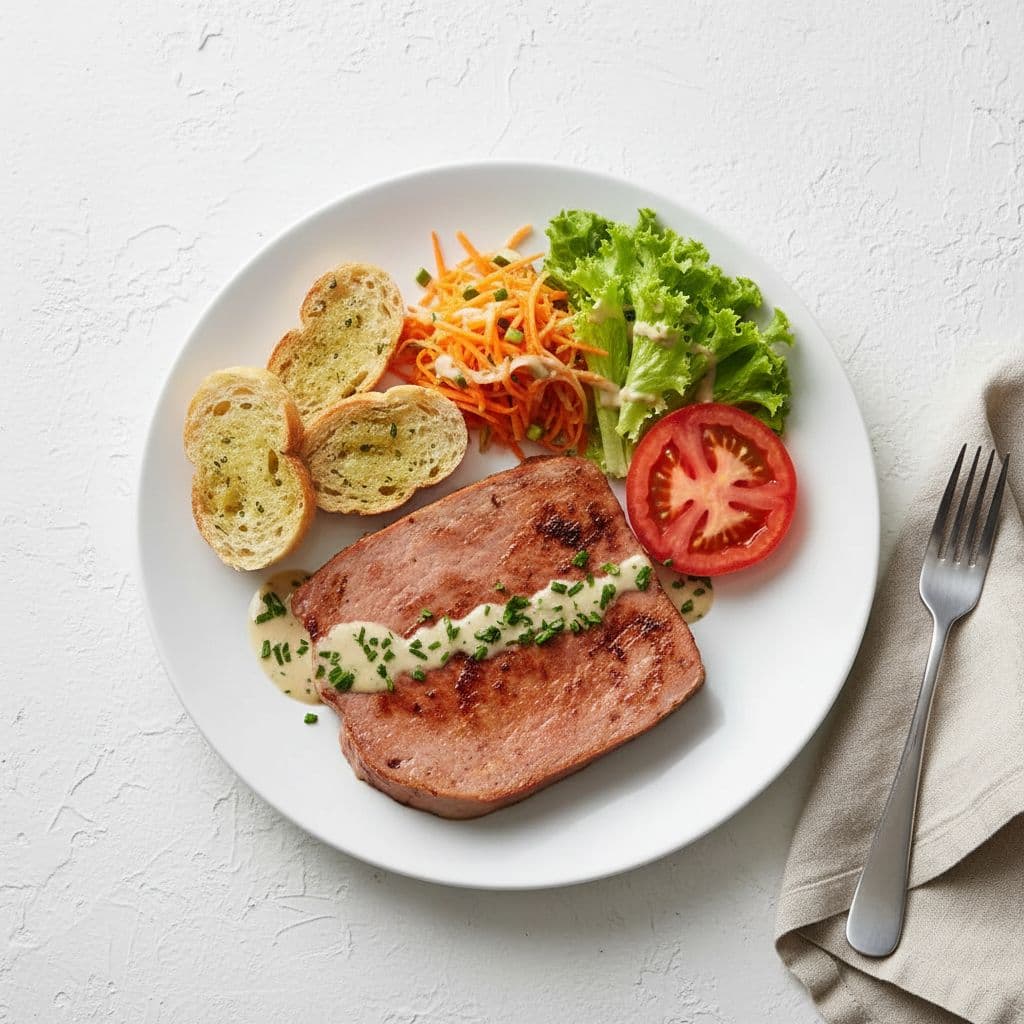
AI Food Photography: What It Is and How It Works for Restaurants
You already know that good food photos drive orders. Studies from DoorDash and Uber Eats consistently show that menu items with professional photos get 24-35% more orders than items without them. The problem has never been awareness -- it has been access. Professional food photography costs $500 to $2,500 per shoot, takes weeks to schedule, and needs to be repeated every time the menu changes.
AI food photography is changing that equation. Instead of hiring a photographer, you upload a phone photo of your dish and get back a professional-quality image in under a minute. No studio, no lighting kit, no scheduling around service hours.
But what does "AI food photography" actually mean? How does it work? And is it good enough to replace a real photographer for your restaurant?
This guide breaks it all down.
In short: AI food photography uses artificial intelligence to enhance your existing food photos -- improving lighting, color, composition, and backgrounds -- so they look like a professional photographer shot them. It does not create fake food. It makes your real dishes look the way they deserve to look online.
What Is AI Food Photography?
AI food photography is a category of tools that use machine learning to improve the quality of food photos. You take a picture of your dish with your phone, upload it, and the AI analyzes the image and enhances it -- adjusting lighting, color balance, shadows, backgrounds, and overall composition.
The key word is enhance. The best AI food photography tools do not generate fictional dishes from scratch. They work with your actual food, in your actual plating, on your actual plates. The AI acts like a digital photography assistant that fixes the lighting, cleans up the background, and makes the colors pop -- the same things a professional photographer and photo editor would do, just faster and cheaper.
There is an important distinction to understand here:
AI-enhanced photos start with a real photo of your real dish and make it look better. The food in the final image is your food.
AI-generated images create entirely new food photos from a text description. The food in the final image does not exist.
For restaurants, enhancement is almost always the right choice. Your customers expect the food they order to match the photo they saw. AI enhancement delivers on that promise because the starting point is your actual dish.
How Does AI Food Photography Work?
The process is straightforward, and it is designed to be used by restaurant owners, not photographers or graphic designers.
Step 1: Take a photo with your phone
Snap a picture of the dish you want to feature. It does not need to be perfect -- that is the whole point. A reasonably well-lit photo taken on any modern smartphone is enough for the AI to work with.
A few tips that help the AI produce better results:
- Use natural light when possible. A table near a window works well. Avoid overhead fluorescent lighting if you can.
- Keep the background simple. A clean table or countertop is better than a cluttered prep station.
- Shoot from above or at a 45-degree angle. These are the two angles that work best for most dishes.
- Make sure the dish is in focus. Blurry input means blurry output -- AI can enhance lighting, but it cannot unblur a photo.
Step 2: Upload to an AI food photography tool
You upload the photo to the tool. Most AI food photography platforms are web-based, so there is nothing to install. You open the site, drag your photo in, and move to the next step.
Step 3: Choose a style
This is where things get interesting. Different platforms offer different photography styles -- some optimized for delivery apps, others for social media, others for print menus. You pick the look that matches where the photo will be used.
For example, a photo headed for your DoorDash listing might use a clean, bright style with a white background. A photo for Instagram might use a moodier, more editorial look. The AI adjusts its enhancements based on the style you select.
Step 4: The AI enhances your photo
Behind the scenes, the AI model analyzes your image and applies a series of enhancements. What it typically adjusts:
- Lighting and exposure -- Brightens underexposed areas, balances harsh shadows, creates the even, appetizing lighting you see in food magazines.
- Color correction -- Makes greens greener, reds richer, and whites cleaner. Food that looked washed out under kitchen fluorescents suddenly looks vibrant.
- Background cleanup -- Simplifies or replaces distracting backgrounds while keeping the dish itself untouched.
- Composition refinement -- Adjusts framing and focus to draw the eye to the food.
- Surface and texture -- Enhances the visual texture of ingredients so you can almost see the sear on a steak or the gloss on a sauce.
The whole process typically takes 15 to 60 seconds.
Step 5: Download and use
You download the enhanced photo and upload it wherever you need it -- DoorDash, Uber Eats, your website, Instagram, your printed menu. The output is a high-resolution image ready for any platform.
What AI Food Photography Can and Cannot Do
This is the section that matters most if you are skeptical -- and you should be. AI tools overpromise constantly. Here is an honest look at what works and what does not.
What AI does well
- Lighting correction. This is where AI shines (literally). Most amateur food photos fail because of bad lighting -- dim restaurants, harsh overhead fluorescents, mixed color temperatures. AI is exceptionally good at fixing these issues and creating the warm, even, professional lighting that makes food look appetizing.
- Color enhancement. Phone cameras often wash out colors or add a yellowish cast. AI restores natural, vibrant color that makes ingredients look fresh and appealing.
- Background improvement. A cluttered background with receipt paper and condiment bottles distracts from the food. AI can clean up or replace backgrounds to keep the focus where it belongs.
- Consistency across your menu. When you shoot 30 dishes on different days under different conditions, the photos look inconsistent. AI standardizes the style so your entire menu has a cohesive, professional look.
- Speed. A professional shoot takes a full day. AI takes seconds per photo. For a restaurant that needs to update photos for a seasonal menu change, this is a meaningful difference.
What AI does not do well
- Fix a truly bad photo. If the image is extremely blurry, shot in near-darkness, or the dish is plated poorly, AI cannot save it. Enhancement amplifies what is there -- if the starting point is too weak, the result will be too. You still need a halfway decent phone photo.
- Create food that does not exist. Enhancement tools work with your real dish. If the presentation is sloppy, the AI will enhance a sloppy-looking dish. It fixes lighting and color, not plating.
- Replace every use case for a photographer. If you need hero shots for a billboard campaign, lifestyle images with models, or highly art-directed editorial photography, a human photographer is still the better choice. AI food photography is built for the everyday photos that go on menus, delivery apps, and social media -- not Vogue covers.
- Guarantee platform compliance. Delivery platforms like DoorDash and Uber Eats have photo guidelines. AI-enhanced photos of your real food generally comply because they are real food -- but you should still review the output to make sure nothing looks misleading.
The bottom line on quality
For the use cases that matter most to independent restaurants -- delivery app listings, menu photos, website images, and social media posts -- AI-enhanced photos are good enough to compete with professional photography. They are not identical to what a $2,000 photographer delivers, but they are dramatically better than unedited phone photos. And for under $1 per image, the value proposition is hard to argue with.
Is AI Food Photography Worth It for Your Restaurant?
Let us look at the math.
The cost of doing nothing
If you are using unedited phone photos on your delivery app listings right now, you are likely leaving orders on the table. Platform data consistently shows that professional-looking photos increase order rates by 24-35%. For a restaurant doing $5,000 per month in delivery orders, even a conservative 15% increase means $750 more per month -- $9,000 per year.
That is money sitting on the table, hidden behind a dark, off-angle phone photo.
The cost of a photographer
A professional food photography session typically runs $500-2,500 depending on the photographer, number of dishes, and your market. You will need to:
- Find and vet a photographer who specializes in food
- Schedule the shoot (often during off-hours so the kitchen is available)
- Plate every dish specifically for the shoot
- Wait days or weeks for the edited files
- Repeat the entire process every time the menu changes
For a restaurant that updates its menu seasonally, that is $2,000-10,000 per year in photography costs alone.
The cost of AI food photography
Most AI food photo tools charge between $0.50 and $2.00 per image. A tool like Beautiful Food lets you pay per photo with no subscription -- you buy credits when you need them, and they never expire. Enhancing an entire 30-item menu costs roughly $15-30.
For a restaurant that updates photos four times a year, that is $60-120 annually. Compare that to $2,000-10,000 for a photographer.
When to use AI vs. a photographer
Here is a practical framework:
SituationBest choice
Updating delivery app photos for a menu change
AI food photography
Weekly social media posts
AI food photography
Website menu page
AI food photography
Print menu photos
AI food photography
Grand opening marketing campaign
Professional photographer
PR or press materials
Professional photographer
Billboard or large-format advertising
Professional photographer
Most restaurants will get the best results by using AI food photography for 90% of their photo needs and hiring a photographer for the occasional high-stakes project.
How to Get Started
If you want to try AI food photography for your restaurant, the process takes about two minutes:
- Pick a tool. Look for one that enhances real photos (not generates fake ones), offers styles built for restaurants and delivery apps, and does not lock you into a monthly subscription you will not use every month.
- Start with your best-selling dish. Take a phone photo in decent light, upload it, and see the result. You will know within 30 seconds whether the quality meets your needs.
- Compare side by side. Put your current menu photo next to the AI-enhanced version. Show them both to your staff. The difference is usually obvious.
- Roll out gradually. Start with your delivery app listings -- that is where better photos have the most immediate impact on orders. Then expand to your website, social media, and print materials.
Beautiful Food offers 5 free credits to start, no credit card required. You can enhance 5 photos of your own dishes and judge the quality for yourself before spending anything. Check out the before-and-after examples to see what the results look like.
Key Takeaways
- AI food photography enhances your real food photos using artificial intelligence to improve lighting, color, backgrounds, and composition. It does not create fake food images.
- The process is simple: take a phone photo, upload it, choose a style, and download a professional-quality image in under a minute.
- It works best for everyday restaurant needs -- delivery app listings, menu photos, social media, and websites. For high-stakes campaigns, a professional photographer is still the better choice.
- The cost difference is significant. AI food photography costs roughly $0.50-2.00 per image versus $500-2,500 for a professional photo shoot. For most restaurants, that means spending $60-120 per year instead of thousands.
- Quality is good enough to drive results. Professional-looking menu photos increase delivery orders by 24-35% according to platform data. AI-enhanced photos clear that bar.
- Start small. Try it on one dish. Compare the result to your current photos. Let the quality speak for itself.
Ready to see what AI food photography can do with your dishes? Try Beautiful Food free -- 5 credits, no card needed.
Related reading: